Escalium Advanced Video Editor
The video editorthat comes with the clips.
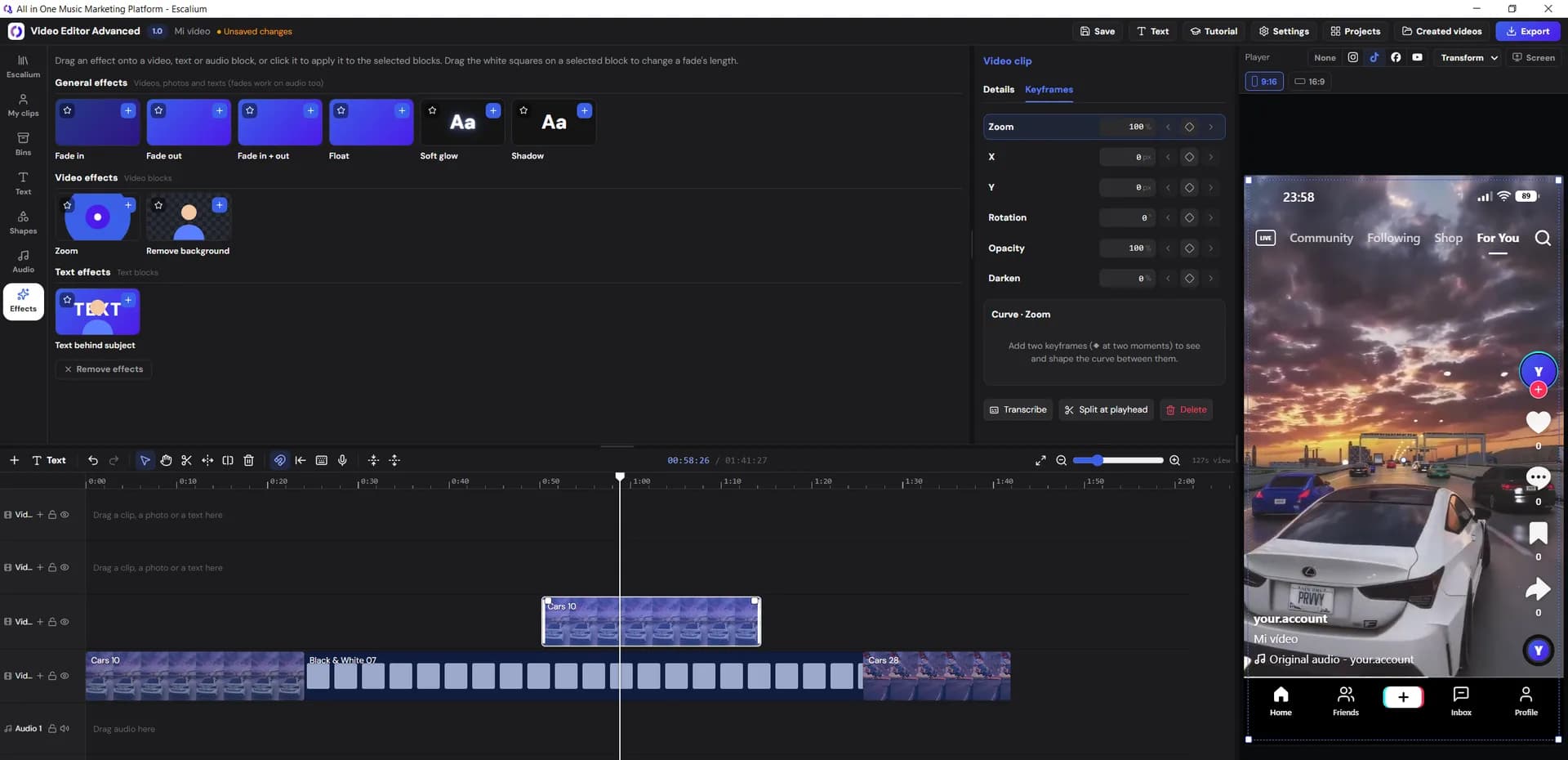
Open it and 300+ clips are already waiting. Add subtitles with AI, animate anything with keyframes and see your video inside TikTok, Instagram or YouTube Shorts before you export it.
1,000+ creators are already editing with it
0+
Escalium Clips included
0
languages for subtitles
0
AI transcription models
0K
export quality
Escalium Clips: built-in video library
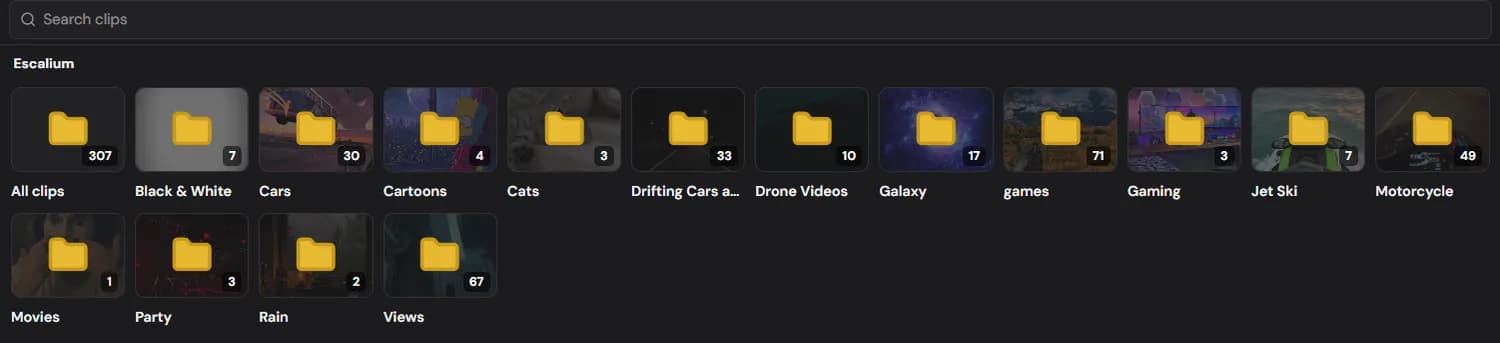
300+ clips.Ready when you open it.
No stock sites, no downloads. Search the library, drag a clip onto the timeline and it's in your video. We add new clips all the time, so the library keeps growing with you.
Video editing tools
Do the work once.Reuse it forever.
The slow part of editing is repeating yourself. Everything here is built so you don't have to.
Power Bins
Save your edits as presets. They stay in every project you open, today and next year.
Text templates
Design a text style once and drop it on any video.
Effects
Fade, float, soft glow, shadow, zoom, remove background and text behind subject. We add new effects every day.
Advanced keyframes
Animate zoom, position, rotation, opacity and darkness, then shape the curve between two keyframes.
Shapes
Rectangles, circles, stars, hearts and more, ready to animate.
Your own media
Upload your videos, photos and audio and use them next to Escalium Clips.
AI subtitles & transcription
Subtitles in one click,with the best models.
Click Transcribe on any clip and the words land on your timeline as captions, each one timed to the moment it's said. Pick the model that fits your computer and your video. Two of them run on your own machine and cost nothing.
- Free
Whisper Large v3 Turbo
OpenAI's fastest large model. It keeps the brain of Whisper Large v3 but cuts its decoder from 32 layers to 4, so it transcribes about 8 times faster with almost the same accuracy.
- Runs on your graphics card
- 99 languages
- Word-by-word timing for captions
- 760 MB, downloaded once
- Nothing is uploaded, no credits
Best for: Most videos, in any language
- Free
Whisper Base
A small 74-million-parameter Whisper model that runs on the processor, so it works on any computer, even without a graphics card.
- Works on every computer
- Fastest to start
- Word-by-word timing for captions
- 140 MB, downloaded once
- Nothing is uploaded, no credits
Best for: Clear speech and voice-overs. Less accurate over loud music
- Uses credits
Escalium model
Our most accurate transcription, running on our servers. In public benchmarks (FLEURS and Common Voice) it scores ahead of Whisper Large v3.
- About 98% accuracy in English, Spanish, French, German, Italian and Portuguese
- 99 languages, including ones other models struggle with
- Word-by-word timing for captions
- Only the part you transcribe is uploaded
Best for: When every word counts: strong accents and less common languages
TikTok, Reels & Shorts layouts
See the postbefore you post it.
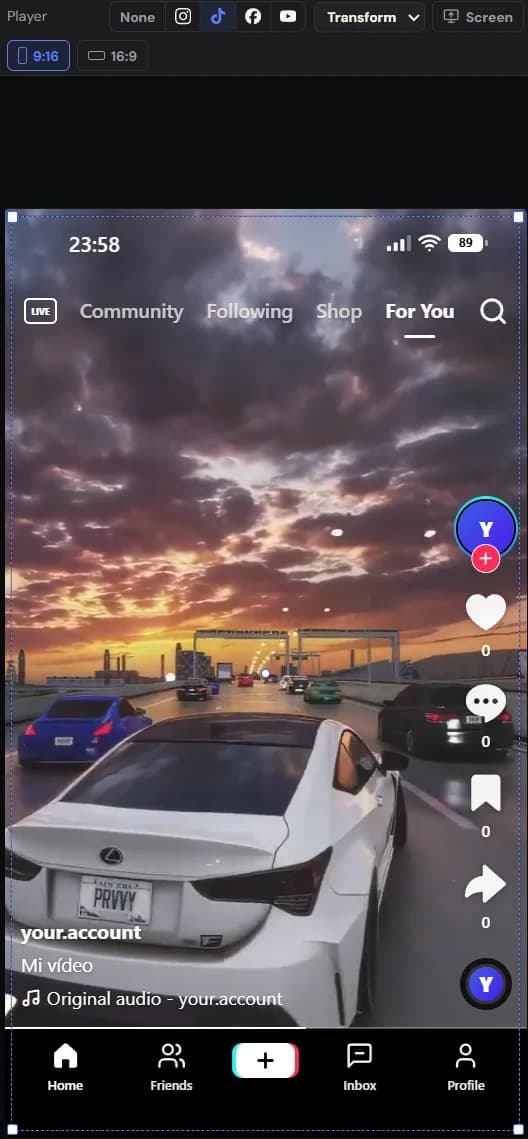
Switch the preview to TikTok, Instagram, Facebook or YouTube Shorts and the editor lays the platform's buttons, username and caption over your video. If a title hides behind the like button, you'll see it now, not after you publish.
Export in the right size
TikTok, Reels, Shorts
1080×1920YouTube
1920×1080Instagram 4:5
1080×1350Square
1080×10804K
3840×2160
Coming soon: publish to every platform straight from the export window.
Why we built the Escalium video editor
Made for 300 videos a month,now made for you.
Escalium started as a music marketing platform. Running ads for our artists meant making more than 300 videos every month, and every editor we tried slowed us down: hunting for footage, rebuilding the same text styles, guessing where TikTok's buttons would cover the captions.
So we built our own editor, with the clips inside, our styles saved once, and the phone screen of every platform right in the preview.
It got so good that it became a product of its own, and we keep adding to it every day.
Private video editing on your computer
Your computer does the work
Editing, Whisper subtitles and exports all run on your own hardware. Your projects and videos stay on your disk. We give you the clips and the software, and we don't ask for anything else.
Frequently Asked Questions
A video editor for your computer that comes with 300+ ready-to-use clips, AI subtitles, advanced keyframes, effects and the TikTok, Instagram, Facebook and YouTube Shorts layouts.
Windows. A macOS version is coming soon. On any other computer you can use the web version: sign up at escalium.io and open the editor from your dashboard.
A library of 300+ video clips included in the editor and sorted in folders: cars, drifting, galaxy, gaming, rain, drone shots, motorcycles and more. We add new clips all the time.
Not with Whisper Large v3 Turbo or Whisper Base, which run on your computer. Only the Escalium model, our most accurate one, uses credits.
Whisper Large v3 Turbo for most videos: it runs on your graphics card, handles 99 languages and is about 8 times faster than Whisper Large v3. Whisper Base if your computer has no graphics card. The Escalium model when every word counts, like strong accents or less common languages.
No. The desktop app edits and exports on your own computer, and your projects and videos stay on your disk. The only exception is the Escalium transcription model: if you choose it, just the part you transcribe is sent to be transcribed.
Yes. The editor has a step-by-step tutorial built in that shows you around the first time you open it.
Soon. Automatic upload to each platform from the export window is on its way.
Start your next video today.
Download the editor for Windows, or sign up at escalium.io and open it from your dashboard. The built-in tutorial shows you around.
1,000+ creators are already editing with it